Review and ship
Review agent output, run validation, inspect previews, and open a pull request.
The session page is the inspection surface before code reaches GitHub review. Use it to understand what changed, decide whether the result is ready, and keep repository CI/CD as the final validation boundary.
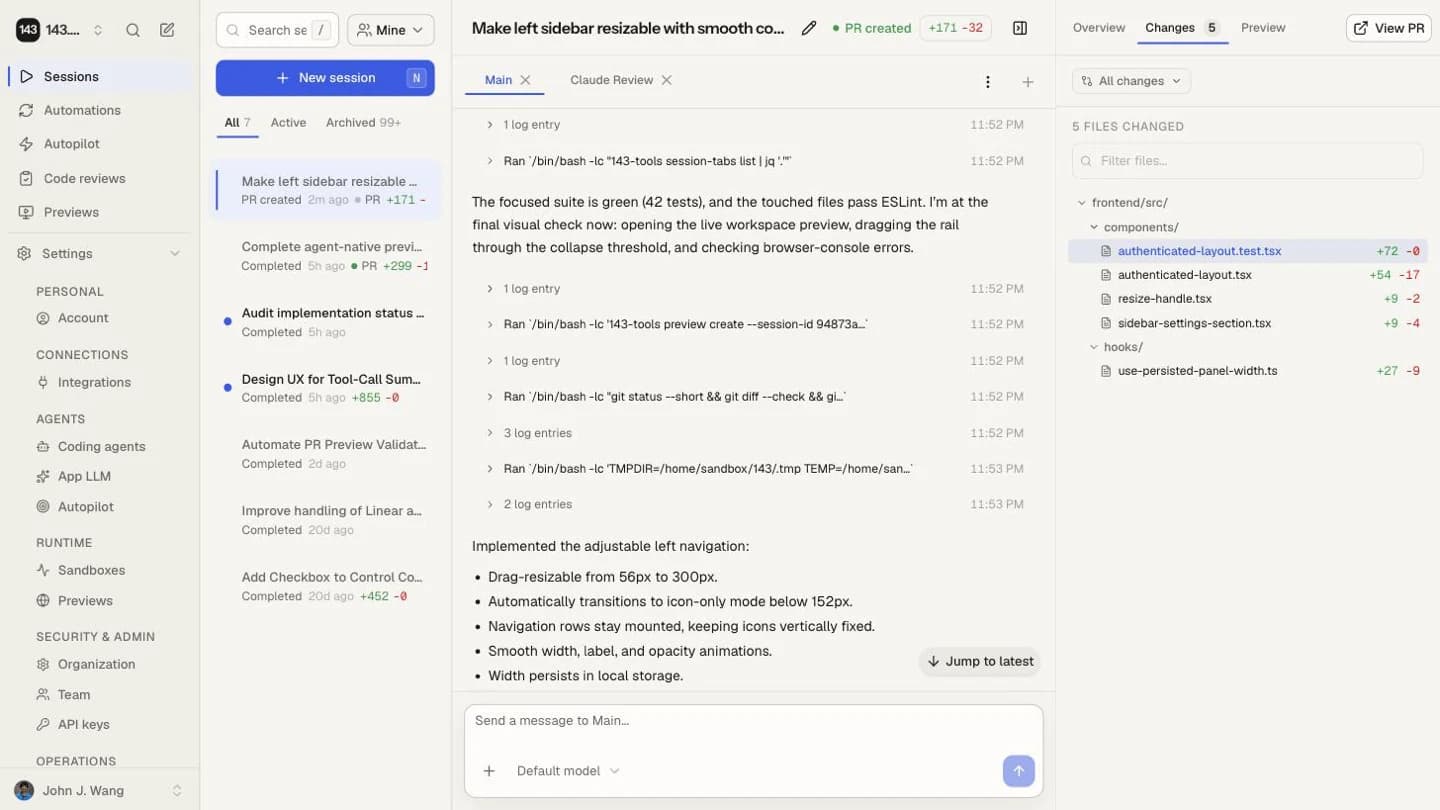
Review checklist
- Read the final summary and any warnings.
- Inspect the diff by file.
- Check validation output and test commands.
- Open the preview when one is configured.
- Use follow-up messages to fix issues before opening a PR.
- Open a PR only when the change is coherent and reviewable.
Use previews for UI changes
Previews let you click through the app inside the session instead of pulling the branch locally. They are most useful for:
- Layout fixes.
- Form and settings flows.
- Regression checks that are easier to see than infer from code.
- Product review before PR creation.
After the PR opens
Repository-native CI remains the source of truth. For open PRs linked to an idle session, 143 automatically attempts to repair failing test checks and merge conflicts once per PR revision and repair type. Organization admins can disable either branch-writing action under Settings → Session automation, and each user can inherit or override those defaults under Account settings → Session automation. Branch protection and required checks should still live in GitHub.
PR publication is durable. If GitHub accepts the branch or PR while a worker restarts or a webhook arrives first, the session shows the current publication checkpoint and reconciles the GitHub pull request back into 143. A “Publication retrying” state means recovery is active; avoid opening a second PR manually.
Agents use 143-tools pr create to request this workflow. Direct gh pr create from a session sandbox is intentionally unavailable because it would
bypass review gates, repository templates, deduplication, audit state, and
recovery.
After publication, agents can update the current session's primary PR title or
description with 143-tools pr update --title ..., --body ..., or
--body-file .... This write also goes through 143's session-scoped backend;
direct gh pr edit remains unavailable to sandbox credentials.
Automatic PR handoff
Eligible coding sessions can request publication after the agent has completed the change and appropriate verification. Organization admins control Create a PR when the coding agent is ready and Run a three-pass review/fix cycle before creating the PR under Settings → Session automation. Both default to on. Each user can choose Use organization default (On/Off), On, or Off under Account settings → Session automation. Automatically created review/fix cycles use Fix every finding rather than the minimal-fixes mode available in the manual review setup.
Questions, planning, diagnosis, review-only work, sessions linked to an existing PR, incomplete work, and turns with no changes do not create a new PR. Completing an agent process is not a publication signal by itself. If an eligible turn leaves changes without requesting publication, the session stays available with its normal Create PR action. Clicking Create PR is an explicit publication decision and queues the PR directly; the automatic review/fix preference still applies when a new session hands off its work.
The session Overview shows one workflow card:
- Reviewing shows the current pass and review/fix activity.
- Needs attention offers the safe next actions, including an audited Create draft PR bypass when the final review pass changed code.
- Publishing means review passed and publication is queued; it does not claim the PR exists yet.
- Published links to the resulting pull request.
Repositories default to Review before opening the PR. Repositories whose checks require an existing pull request can use Create a draft first on the repository page. In that mode 143 creates one draft, runs PR-dependent checks and review, publishes the reviewed head, and marks the draft ready only after the gate passes.
Split a session into multiple pull requests
For a large result, the Pull requests panel can divide the session diff into independent or stacked branches. Assign the source changes, materialize each branch, verify that the split has no unassigned or duplicate work, then publish one pull request or the complete stack.
Select a pull request before asking the agent to edit it. The target chip keeps the turn in that branch's worktree. Editing a lower pull request marks dependent pull requests as needing a restack. 143 can replay and push clean restacks in order; conflicts stop for an agent-assisted resolution and your confirmation.
Stacked pull requests merge from the bottom up. 143 blocks merging a child while its parent remains open, guards pushes against unexpected remote branch changes, and shows the current stack health in the session.
Shipping boundary
143 creates and updates branches. Your repository's review, CI, merge, and deploy rules still decide what ships.