Get started
Connect GitHub
Install the 143 GitHub App and import repositories for coding-agent work.
The GitHub App is the permission boundary between 143 and your repositories. Install it with the smallest repository set that should be available for agent sessions, then import those repositories into the 143 organization that owns the work.
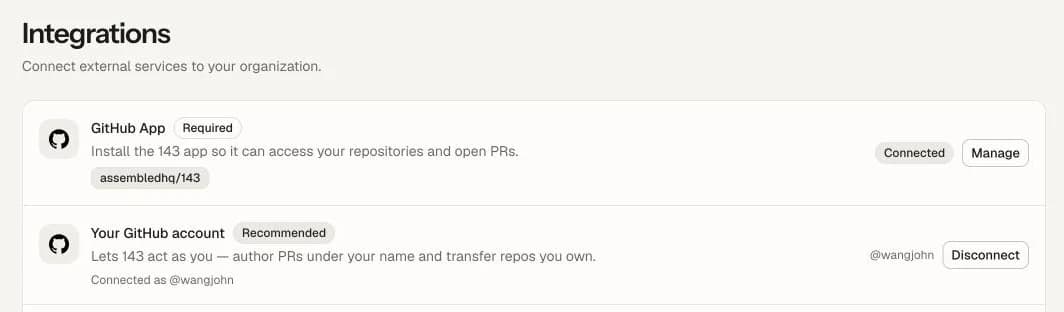
Setup
Open 143 and go to the GitHub connection step.
Install the 143 GitHub App into the GitHub organization that owns the repositories.
Select all repositories that 143 should be allowed to work in.
Return to 143 and import the repositories.
Repository ownership
A GitHub repository should have one active owning 143 organization at a time. If the same GitHub App installation is visible to multiple 143 organizations, only the active owner should be connected for new sessions.
Verify setup
After connecting GitHub, start a small session against a low-risk repo. A successful setup can:
- Clone the repository into a sandbox.
- Resolve the requested base branch.
- Create a working branch.
- Collect a diff.
- Open a PR when requested.
Common blockers
| Symptom | What to check |
|---|---|
| Repo does not appear in 143 | Confirm the GitHub App has access to the repo. |
| Session cannot clone | Confirm the installation is still active and repository ownership is connected. |
| PR creation fails | Confirm the branch exists, GitHub auth is valid, and the repo permits app-created branches. |