143.dev docs
Guides and reference for setting up 143, running coding-agent sessions, and operating self-hosted deployments.
143 runs coding-agent work as a team workflow. A request becomes a visible session, the agent works in a sandbox, reviewers inspect the diff and preview, and GitHub stays the source of truth for review, CI, and merge rules.
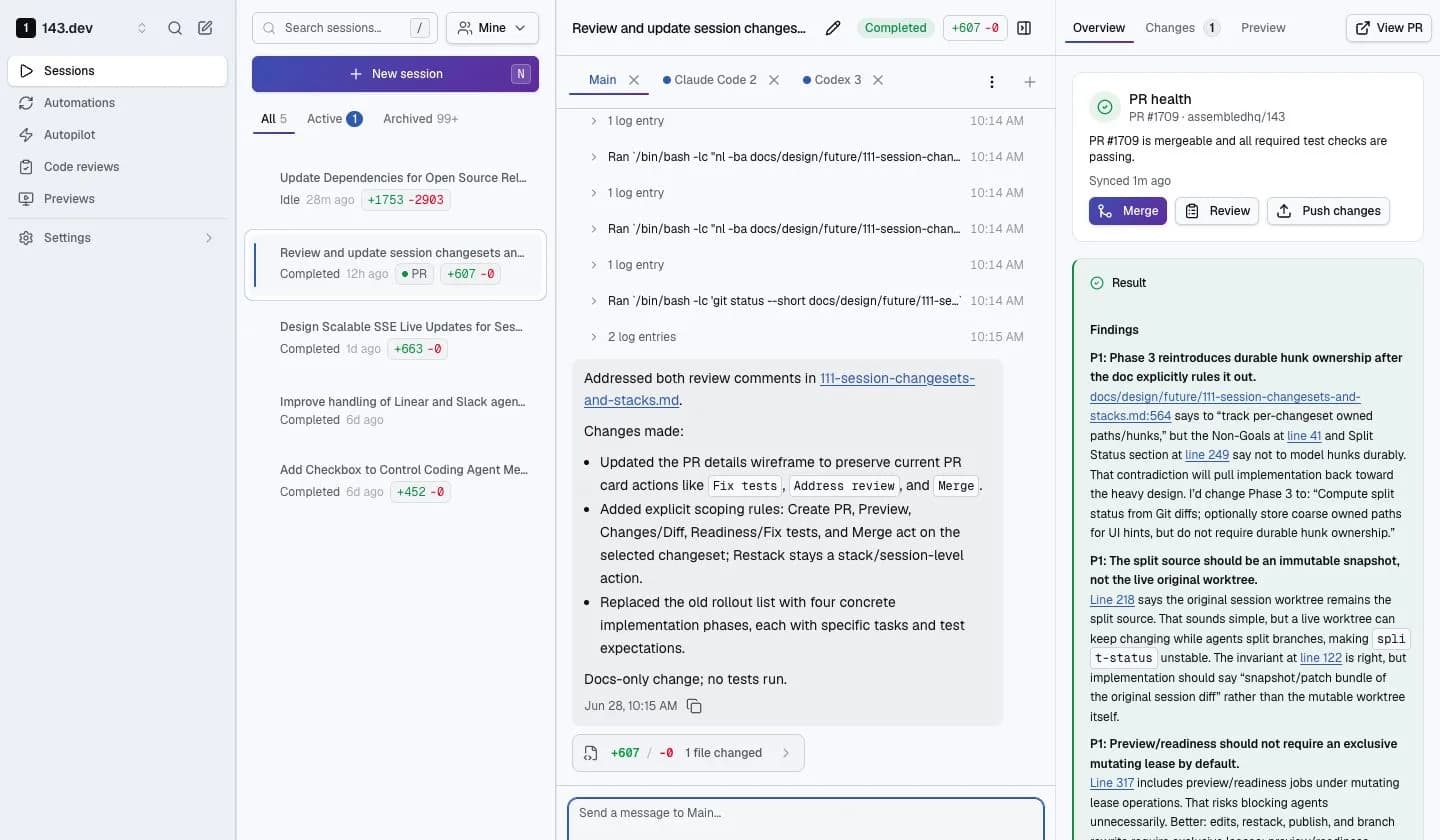
Start with the shortest path to a reviewable change. Add repo configuration, previews, integrations, automation, and self-hosting only when those details become relevant.
Get started
Connect GitHub, start a session, inspect the diff, and open the first PR.
Guides
Configure repo setup, previews, Linear, Slack, automations, and coding-agent auth.
Self-hosting quickstart
Run the production-shaped stack on one Linux host.
Reference
Look up repo config, preview config, environment variables, API auth, and agent tools.
Good first path
- Connect GitHub: give 143 access to the repositories it can work in.
- Start a session: choose a repo, branch, coding agent, and clear task.
- Review and ship: inspect the transcript, diff, validation output, preview, and PR before merging.
Build toward production use
- Repo config: define setup, validation, and preview behavior in
.143/config.json. - Preview environments: run live UI and full-stack previews from a session.
- Linear agent: assign or mention
@143in Linear and keep progress tied to the issue. - Slack agent: mention
@143, DM the bot, or start from Slack App Home and keep progress tied to the conversation. - Coding-agent auth: configure user and organization credentials outside prompts and repo files.
- External API: start sessions and automations from internal systems using scoped service-account tokens.
- Self-hosting quickstart: bring up a production-shaped single-node instance.
- Production deployment checklist: verify a self-hosted deployment before sending real work to agents.
For AI agents
Agents should prefer the raw Markdown version of a page when ingesting these docs. Every public page is available as a normal docs URL and as a raw Markdown URL ending in .md.
For agents
Use /llms.txt as the machine-readable entrypoint. It lists canonical page URLs, raw Markdown URLs, and short summaries.